
Pocket Lens1.0.0.1 - Google Play
You'll be able to see results in few seconds.
Publisher Description
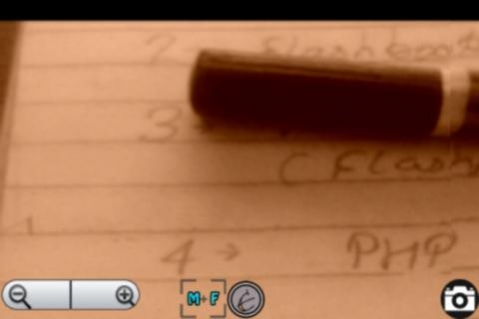
A decent magnifier.
Contain feature to zoom in and zoom out via volume up down keys ,Effect are hidden but can used with small "e" button .
If camera flash is not supported on your device flash icon will disappear.
Please let us know If we can do something for your app specific problem. before writing a negative review.
comments don't provide us a way to inform you if a update fixed the problem.Please help us by once emailing your problem before writing a negative review.
Magnifying Glass with full-screen by using camera zoom , support auto-focus.
Features:
1.Magnifier with many focusing mode.Auto focus ,Macro focus, Infinite focus.
2.Multiple zooming scheme available (use +,- ui keys or top ui bar or hardware volume rocker to change zoom)
3.Freeze images so you can easily read the magnified image.
4.Flash light .Even in darkness app can be used as magnifier use bulb icon to on/off flash.
5.Support Negative color,Sepia,Mono,Aqua,Blackboard,Whiteboard,Solarize,
Posterize effects Use "e" button to show effect panel
6.Snap available.(use camera hardware button or camera icon to snap a picture)
7.Gallery view to view images.
This is the Digital Magnifier you only need
Please, take into account that the quality of the image and the magnification level depend directly on the quality of the camera and its zoom because they are the lens of the magnifier.
The maximum zoom level depend on the device
About Pocket Lens
The company that develops Pocket Lens is Induction Labs. The latest version released by its developer is 1.0.0.1.
To install Pocket Lens on your Android device, just click the green Continue To App button above to start the installation process. The app is listed on our website since 2017-02-07 and was downloaded 0 times. We have already checked if the download link is safe, however for your own protection we recommend that you scan the downloaded app with your antivirus. Your antivirus may detect the Pocket Lens as malware as malware if the download link to inductionsoftware.plnsfull is broken.
How to install Pocket Lens on your Android device:
- Click on the Continue To App button on our website. This will redirect you to Google Play.
- Once the Pocket Lens is shown in the Google Play listing of your Android device, you can start its download and installation. Tap on the Install button located below the search bar and to the right of the app icon.
- A pop-up window with the permissions required by Pocket Lens will be shown. Click on Accept to continue the process.
- Pocket Lens will be downloaded onto your device, displaying a progress. Once the download completes, the installation will start and you'll get a notification after the installation is finished.
Program Details
System requirements
Download information
Pricing
Version History
version 1.0.0.1.full
posted on 2017-02-07
Attached privacy policy link
Initial released this is released due to some emails I received requesting add-free version of this app
version 1.0.0.full
posted on 2012-10-25
Several fixes and updates
version 1.0.0.full
posted on 2012-10-25
Initial released this is released due to some emails I received requesting add-free version of this app
Disclaimer
Official Google Play Link
We do not host Pocket Lens on our servers. We did not scan it for viruses, adware, spyware or other type of malware. This app is hosted by Google and passed their terms and conditions to be listed there. We recommend caution when installing it.
The Google Play link for Pocket Lens is provided to you by apps112.com without any warranties, representations or guarantees of any kind, so access it at your own risk.
If you have questions regarding this particular app contact the publisher directly. For questions about the functionalities of apps112.com contact us.
